
The short answer
I would use a compact industrial router (4G is often enough for signage, 5G for heavy video or where 5G has the better signal), a low-profile antenna that fits the enclosure, a managed IoT SIM, and a remote management platform from day one.
The problem
Signage and kiosks are usually installed in places with no easy network cable, and they are expected to run unattended for years.
The real cost is not the router. It is the site visit every time a screen goes blank.
Here is what I would do
- Size the bandwidth honestly Most signage pulls content in bursts and plays it locally. 4G Cat 4 or Cat 6 often covers it; choose 5G for live video or where the 5G signal is stronger.
- Fit the hardware to the enclosure Compact DIN-rail or small-form routers with low-profile or adhesive antennas fit inside kiosks and screen housings.
- Use managed IoT SIMs Pooled data and central SIM management beat consumer SIMs once you have more than a handful of sites.
- Lock it down Close remote access to the public internet and manage devices through a VPN or management platform.
- Monitor from one place Alerts for offline devices and data spikes let you fix problems before the customer phones.
The kit I would use
- RouterCompact industrial 4G or 5G router
Small, low power, with watchdog and remote management.
- AntennaLow-profile or adhesive MIMO antenna
Mounted to the inside of a non-metal panel or the outside of the enclosure.
- SIMManaged IoT SIM with pooled data
So one busy site does not run out while others sit idle.
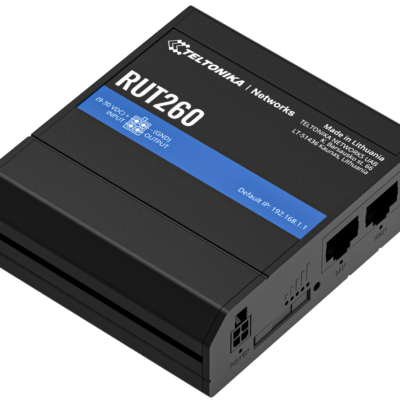 RUT260 Compact CAT6 LTE Industrial M2M 4G Router from Teltonika£145.00In stock
 Teltonika RUT200 Compact 4G Router£89.00In stock
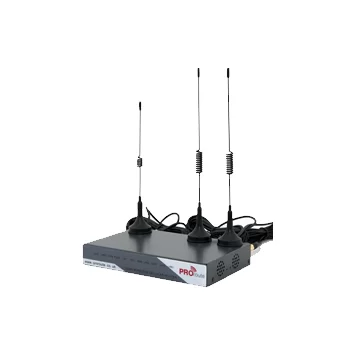 H820 4G Router with SIM Slot - Industrial 4G Internet from Proroute£135.00In stock
 Proroute H685 5G Router£345.00In stock
What I would avoid
- Leaving the router's web interface open to the internet.
- Antennas inside an all-metal enclosure.
Not quite your job?
Every site is a little different. Tell us where it is, what needs connecting and what has already been tried, and we will tell you what we would do. Get in touch.
Questions people ask
Do signage screens need 5G?
Often not. Many run happily on 4G because content is cached locally. 5G helps with live video, large content updates, or where 4G is congested.
How do I manage hundreds of sites?
Use a remote management platform for the routers and a SIM management portal for data, so problems show up as alerts rather than phone calls.
Where should the antenna go on a kiosk?
Outside the metal shell, or behind a plastic or glass panel. Never fully enclosed in metal.