
The short answer
I would use an industrial 5G router with PoE or a separate PoE switch, a proper external 4×4 MIMO antenna mounted high, and a fixed public IP SIM or a VPN so I can actually reach the NVR. Then I would turn on ping reboot so the site fixes itself.
The problem
Most remote CCTV jobs fail for the same three reasons: the router sits in a metal cabinet with stubby antennas, the SIM is behind carrier-grade NAT so nobody can connect in, and when the connection drops at 3am nothing brings it back.
Cameras upload more than people expect. A handful of HD cameras streaming to a cloud service, or an installer pulling footage remotely, needs upload speed and a connection that stays up on its own.
Here is what I would do
- Check the signal before you quote Test every network at the exact spot the antenna will go, at height, not in the car park. Pick the network on measured results, not a coverage map.
- Decide how you will get in A standard mobile SIM will not accept incoming connections. Either use a fixed public IP SIM and forward the NVR ports, or put the router on a VPN or remote management platform and reach it that way.
- Get the antenna out of the cabinet Mount an external 4×4 MIMO antenna outside, high and clear, with the shortest cable run you can manage. This single step usually makes the biggest difference.
- Power the cameras sensibly Use a router with PoE ports for small jobs, or a separate managed PoE switch when you have more cameras than the router can power.
- Make it self-healing Turn on ping reboot or connection checks so the router restarts the modem if it loses the network, and use dual SIM if the site really matters.
- Watch the data Set a data alert, and set cameras to record locally and only stream when someone is watching, unless you are on an unlimited plan.
The kit I would use
- RouterIndustrial 5G router, ideally with PoE
Dual SIM, ping reboot, VPN support and a wide temperature range. A compact 4G router is still fine for one or two low-bitrate cameras.
- AntennaExternal 4×4 MIMO 5G antenna
Mounted outside on a pole or wall bracket, with low-loss cable of sensible length.
- SIMFixed public IP SIM
So the NVR and cameras can be reached directly, without relying on a cloud relay.
- ExtrasManaged PoE switch and a weatherproof enclosure
For bigger camera counts or when the router lives outdoors.
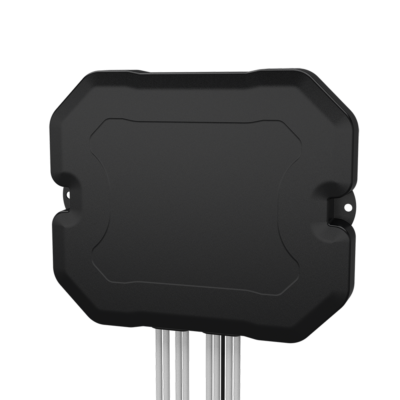 Panorama BATM4-6-60 Adhesive and screw mounted 4×4 MiMo 5G Antenna with optional WiFi and GPS£180.00In stock
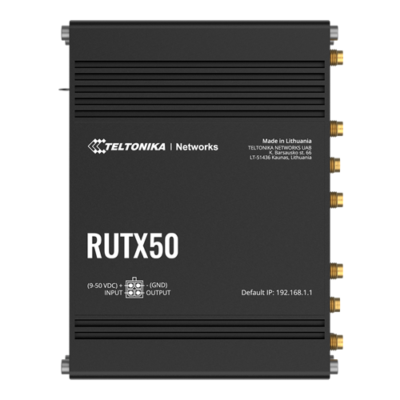 Teltonika RUTX50 5G Router£379.00In stock
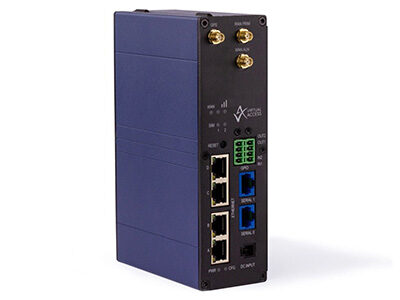 Westermo GW2304W-PE4-2S-2DI2O-QFR LTE 4G Router with POE PortsPrice on requestIn stock
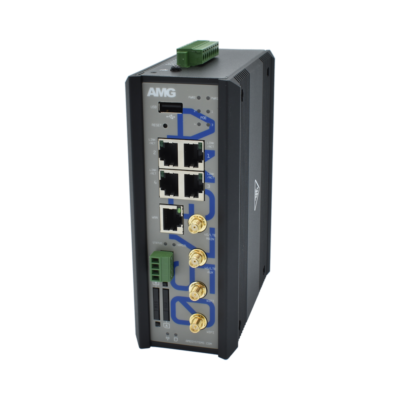 AMG750-1G-4GAT-1E4-P120Price on requestIn stock
What I would avoid
- Consumer 5G home routers in a cabinet. They are not built for heat, cold or unattended running.
- Ordinary data SIMs when you need to connect in to the NVR.
- Long thin antenna cables. You lose signal in the cable before it ever reaches the router.
Not quite your job?
Every site is a little different. Tell us where it is, what needs connecting and what has already been tried, and we will tell you what we would do. Get in touch.
Questions people ask
Do I need 5G for CCTV, or is 4G enough?
For a few cameras that record locally, 4G is often enough. 5G earns its place when you stream many HD cameras, upload to the cloud continuously, or when 5G simply has the stronger signal at the site.
Why can I not connect to my NVR over a mobile SIM?
Most standard mobile SIMs sit behind carrier-grade NAT, so incoming connections never reach your router. A fixed public IP SIM or a VPN gets round this.
How much data does remote CCTV use?
It depends on camera count, resolution, bitrate and whether footage is streamed or only viewed on demand. Recording locally and viewing on demand uses far less than constant cloud upload.